

If you’re planning an office or commercial tenant improvement in Vancouver, the fastest way to get to a clean price and a predictable schedule is to lock three things early: a practical layout, a power and data plan that matches your IT, and a phasing strategy that limits downtime. This guide shows you how to make those calls before you spend heavily on drawings or start booking moves.
At A Glance
An office TI goes smoother when you:
- Confirm headcount and work modes first (focus, calls, collaboration).
- Test-fit the layout before you finalize finishes.
- Plan power, data, Wi‑Fi, and meeting room AV early.
- Decide whether you’ll renovate occupied or move out temporarily.
- Account for landlord approvals, permits, and long-lead items.
What Is An Office Tenant Improvement?
An office tenant improvement (TI) is the work that adapts a leased commercial space to how your business actually operates. In simple terms, it’s your layout, finishes, and building-systems coordination coming together so the space is functional, compliant, and comfortable.
People often use “office renovation,” “office fit-out,” and “office TI” interchangeably. The important part is scope: moving one wall is very different from reworking meeting rooms, power distribution, and sprinkler coverage.
Common Office TI Scope What People Usually Mean
Most office TIs include some mix of: new partitions and doors, glazing, flooring, ceiling work, lighting, paint, and millwork (like kitchenettes or storage). Once you add meeting rooms, phone booths, and reception, you also add coordination across trades.
In Vancouver offices, the “hidden” scope is often the most important. Power, data cabling, Wi‑Fi access point locations, and AV rough-ins can drive how ceilings are built, where walls land, and how the schedule sequences.
Who Is Involved So You Know Who Makes Which Decisions
Office TIs usually involve you (the tenant), the landlord or property manager, a designer or architect, the base-building engineer, and your contractor and trades. Your IT provider and security vendor also matter more than most people expect.
A smooth TI has a clear decision map. You decide how you want the office to function. The landlord sets standards and building rules. The architect turns your needs into drawings. The contractor builds the plan, coordinates trades, and manages inspections and turnover.
Start With Layout First Because It Drives Everything Else
Layout is not just where desks go. It’s what determines partition counts, door swings, meeting room size, acoustic needs, and where power and data must land. If you guess the layout and “fix it later,” you usually pay twice: once in redesign, and again in change orders.
The goal is a layout that supports your team today, stays flexible for tomorrow, and fits inside your budget and timeline. A good test fit can save weeks.
Step 1: Workplace Program
Start by listing what your team needs the space to do. Headcount matters, but so do work styles. How many people are on calls daily? Do you need quiet focus zones, collaboration zones, client-facing meeting space, or secure rooms?
Write a simple program: number of workstations, meeting rooms by size, phone booths, reception needs, storage, kitchen capacity, and any specialty spaces (IT room, product demo area, wellness room). This becomes the baseline that prevents “scope creep” later.
Step 2: Test Fits And Circulation
A test fit checks whether your program actually fits, comfortably, with real circulation. It answers practical questions like: do meeting rooms block daylight, do people walk through focus areas to reach the printer, and does reception make sense for clients?
In many Vancouver office buildings, common constraints include existing columns, window lines, and base-building mechanical zones. A test fit forces those constraints into the open before you commit to a full drawing set.
Step 3: Acoustic And Privacy Planning
Most office complaints after move-in come down to sound. If you place phone booths beside focus workstations, or put a high-energy collaboration zone next to quiet desks, the space feels “busy” even when it looks great.
Plan your office in sound zones. Use layout to separate loud from quiet, then support it with the right wall types, door choices, and ceiling details. This is cheaper and more effective than trying to “add soundproofing” after you’ve already built.
Step 4: Accessibility And Safety Considerations
Even early in planning, keep accessibility and safe egress in mind. Clear routes, appropriate door clearances, and washroom access can influence where walls and doors can realistically go.
Your designer and permitting process confirm the specifics for your space and scope. From your side, the best move is to avoid designing a layout that only works on paper.
Power And Data Planning That Prevents Rework
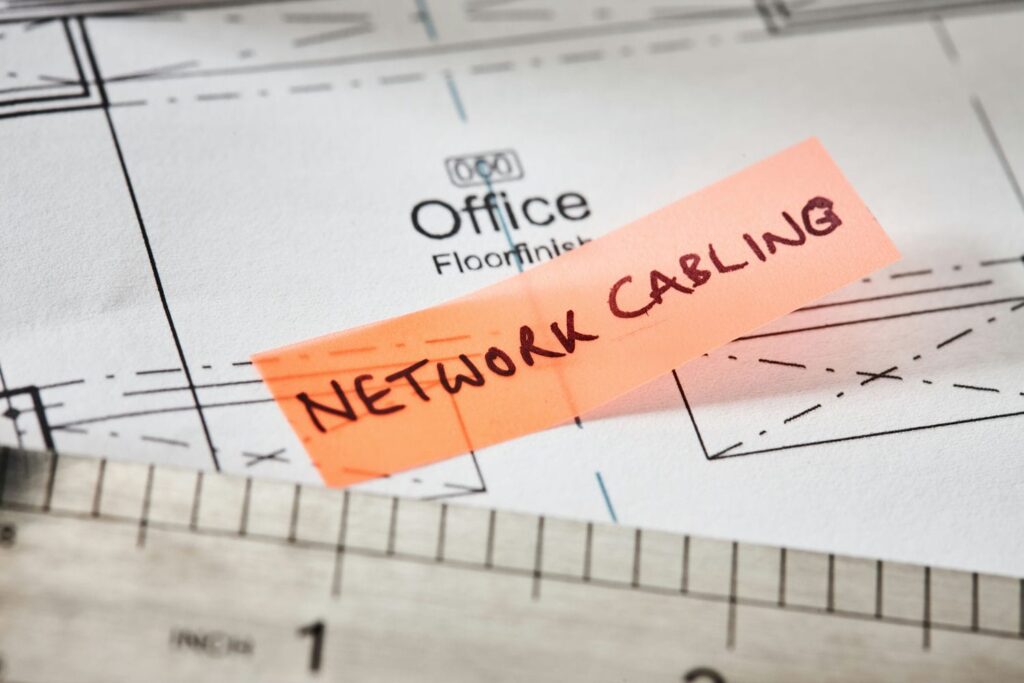
In an office TI, power and data are rarely “small details.” They determine how you open walls, where you core floors (if needed), how you coordinate ceilings, and when you can close up for finishes. If you delay these decisions, you often reopen finished work to fix it.
The practical approach is to treat IT and electrical planning as part of concept design, not a later add-on. That way, your pricing reflects reality.
What To Gather Before Design Starts
Bring a short list of inputs to your first TI planning meeting: headcount, workstation types (standard desk, sit-stand, dual monitors), printing needs, and meeting room expectations. If you use access control, cameras, or alarms, list those too.
Also note any business-critical constraints. For example: can you tolerate a network outage during the day, do you need a locked IT room, and do you have any teams that must stay operational throughout construction?
Server And IT Room Planning
Your IT room (or IDF closet) is a small space with big consequences. It needs the right location, safe access, and a plan for heat management, cabling pathways, and power continuity.
Decide early whether you’re running a full rack, a small wall-mounted cabinet, or a hybrid approach. Then coordinate where data runs originate, how they distribute, and how they stay protected and organized.
Power Distribution Strategy
Office power isn’t just “add more outlets.” It’s how power gets to where people work without becoming a tripping hazard or a future limitation. The three common approaches are wall-based power, floor boxes, and overhead drops, and each has trade-offs depending on your building and layout.
If you expect growth, plan for it now. It’s usually more cost-effective to rough-in capacity and pathways during construction than to retrofit after you’re moved in and busy.
Data Wi Fi And AV Rough In Planning
Wi‑Fi coverage is only “easy” when you plan it. Access points should be placed based on coverage and interference, not wherever is closest. Meeting rooms need AV rough-ins that match how your team meets: screens, cameras, microphones, speakers, and control locations.
Treat your meeting rooms like mini-projects. Define the experience you want (video calls, presentations, hybrid meetings), then plan the cabling and power so your AV install is clean and reliable.
Bring This To Your First TI Meeting
- A simple headcount and seating plan (even a draft)
- A list of meeting room types and AV expectations
- IT room needs (rack size, security, uptime expectations)
- Any specialty equipment (plotters, lab gear, secured storage)
Phased Work Options To Keep Your Office Operating
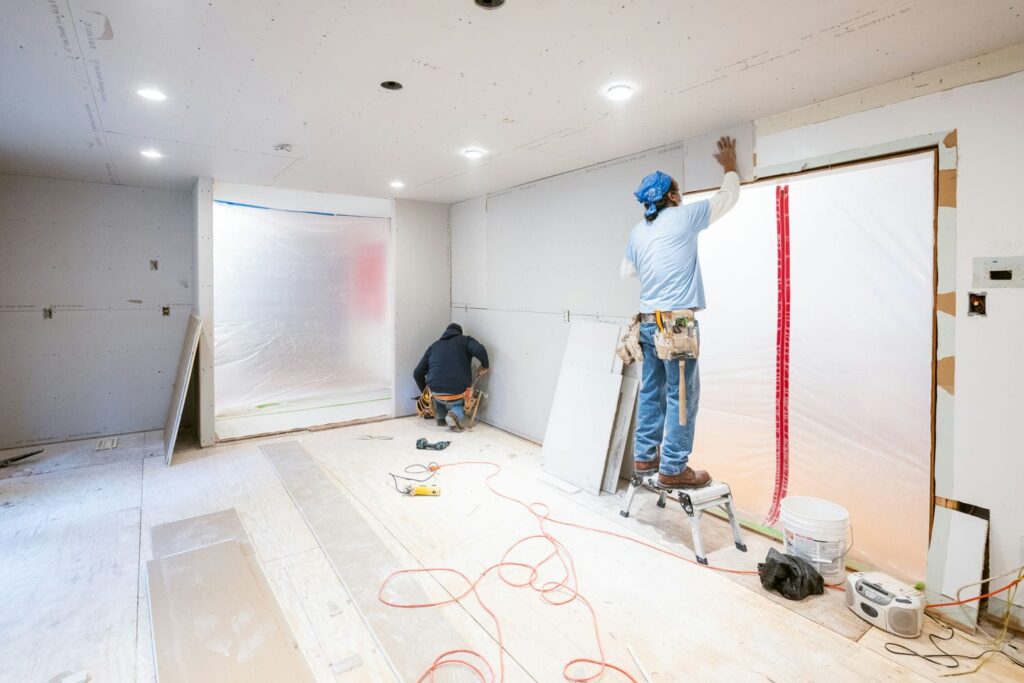
Many Vancouver businesses want to keep working during construction. That can be possible, but it requires a realistic plan for dust control, noise, safety, and access. “We’ll just work around it” is not a plan.
The cleaner path is to choose your approach early: move out fully for a defined period, or phase the work in zones so the office stays partially operational.
When Phasing Makes Sense And When It Does Not
Phasing makes sense when you can create swing space, when your team can work remotely part-time, or when the scope can be clearly separated into areas. It also helps when the business cost of shutting down is higher than the construction premium of working in phases.
Phasing may not make sense when the scope touches every area (especially ceilings and MEP), or when the building rules limit after-hours work. In those cases, a short, full shutdown can be faster and, sometimes, less expensive overall.
Common Phasing Approaches Choose One
A zone-by-zone sequence is the most common approach. You renovate one section while staff uses another, then shift. This often requires temporary walls and clear “construction-only” pathways.
Another approach is targeted after-hours blocks for the noisiest work, paired with daytime work that’s lower impact. This can reduce disruption, but it can also stretch the schedule if you limit working hours too much.
What You Must Plan Early For A Phased TI
Phased work needs a communication plan for your team. People need to know which routes are open, where temporary workstations are, and what the noise windows will be. It also needs building coordination for elevator bookings, loading, and staging.
If you want a sense of finishes and the level of organization you should expect, you can review a few recent project examples before you finalize your TI direction.
Permits And Approvals In Vancouver
Permits and approvals can set the pace of your TI, especially if you’re changing partitions, coordinating building systems, or touching life-safety items. Even when your scope feels “interior only,” the paperwork and review steps still matter.
Your landlord’s process is often just as important as the City’s. Many buildings require landlord approval of drawings, contractor documentation, and work plans before anything starts.
The Reality Approvals Can Set The Pace
Plan for multiple layers of sign-off: your internal stakeholders, your landlord or property manager, and the City’s permit process. Each layer can add time if the scope is unclear or if drawings are incomplete.
The simplest way to protect your schedule is to finalize the big decisions before you submit. Layout, IT room location, and major power/data routes should not be “to be confirmed” when you’re trying to move fast.
Vancouver Specific Resource To Know
If your project is a minor interior renovation in an eligible office building, the City of Vancouver’s Tenant Improvement Program (TIPs) may provide a faster path to a building permit. The City describes TIPs as a dedicated stream for office tenants in eligible commercial buildings, and notes that eligible projects may not need a new development permit and may receive an expedited field review.
Eligibility and scope still matter. The City’s guidance includes examples of ineligible work, so it’s worth checking early, especially if your TI includes broader system upgrades or major renovations.
If You Are Outside Vancouver Still Lower Mainland
If your office is in Richmond, Burnaby, Surrey, Coquitlam, North Vancouver, or elsewhere in the Lower Mainland, the process and terminology can differ. Some municipalities handle tenant improvement permits differently, and building-specific standards can change the sequence.
The best approach is to treat “permits and approvals” as a planning item, not a last-minute task. When you map it early, you reduce the risk of a schedule that looks good on paper but slips in real life.
A Realistic Office TI Timeline What Happens When
Most office TIs follow a predictable rhythm, but the timeline changes based on scope, approvals, and lead times. If your move date is fixed, you want a plan that works backward from that date with real milestones, not optimism.
A good timeline also accounts for how decisions flow. Layout drives power/data. Power/data drives drawings. Drawings drive permits. Permits and procurement drive construction.
Typical Stages Keep High Level No Hard Promises
Most office tenant improvements move through these stages: discovery and site review, test fit and budget alignment, design development and coordination, permit submission and review, procurement of long-lead items, construction, inspections, and turnover.
If you’re staying occupied, you’ll add a phasing plan and a safety plan on top. Those plans should be reflected in the schedule, not treated as a side note.
What Commonly Slows Office TIs
The biggest TI delays usually come from late decisions and unclear scope. If the layout changes after drawings are underway, you can trigger a chain reaction that affects pricing, schedule, and approvals.
Long-lead items also matter. Doors, glazing, specialty lighting, millwork, and some electrical gear can take time. If your schedule assumes everything arrives instantly, you’ll feel the delay on site.
Office TI Deliverables By Stage
| Stage | What Gets Produced | Why It Matters |
| Discovery | Site notes, constraints list | Prevents avoidable redesign |
| Test Fit | Draft layout options | Confirms feasibility |
| Design Development | Coordinated drawings | Improves pricing accuracy |
| Permit Prep | Permit-ready set | Reduces review friction |
| Procurement | Purchase orders, lead-time plan | Protects schedule |
| Construction | Build milestones, punch list | Supports a clean handover |
Budget Drivers You Can Control And The Ones You Cannot
Office TI budgets move based on scope clarity, coordination complexity, and how you choose to build. Some drivers are within your control, and some are tied to the building’s existing condition.
The goal is not to guess a number early. The goal is to make smart decisions that lead to accurate pricing and fewer surprises.
What Usually Moves Cost The Most Office Specific
Partition counts and glazing choices can shift budget quickly, especially once you add meeting rooms and private offices. Acoustics can also change costs if you need higher-performing wall assemblies or door packages.
Electrical and data complexity is another major driver. More meeting rooms, more AV, and more flexibility usually means more coordination and more labour. If you’re staying operational and working after hours, the labour premium and schedule impacts can increase as well.
How To Reduce Change Orders
Change orders most often come from missing decisions, unclear inclusions, and assumptions that were never confirmed. The fix is straightforward: define scope, document what’s included, and make sure drawings reflect how you will actually work in the space.
It also helps to confirm landlord standards early and to align on long-lead selections before construction starts. When key choices are made on time, you protect the schedule and keep the project calmer.
How To Plan An Office TI So It Feels Stress Free
An office TI doesn’t have to feel chaotic. The difference is organization: clear decisions up front, a schedule with real sequencing, and communication that keeps everyone aligned. When the plan is clear, you spend less time reacting and more time moving forward.
If your goal is a space that looks polished and supports daily operations, focus on the process as much as the finishes.
A Practical Pre Construction Checklist
Use this checklist before you request final pricing or start a permit set:
- Confirm headcount and work modes for the next 12–24 months.
- Create a workplace program (desks, rooms, support spaces).
- Complete at least one test fit that respects building constraints.
- Define IT room needs, power distribution, Wi‑Fi, and AV rough-ins.
- Confirm landlord standards, rules, and approval steps.
- Choose your approach: move out fully or phase the work.
- Identify long-lead items and align selections early.
- Build a schedule that ties milestones to decisions.
This checklist is simple on purpose. If you can complete it, your TI is far more likely to stay predictable.
What Organized Construction Looks Like In Practice
Organized construction means trades are sequenced logically, material deliveries are planned, and you know what’s happening next week without guessing. For an occupied TI, it also means clean daily site habits, clear signage, and safe routes for staff and visitors.
We also find that structured updates reduce stress. When you can see progress photos, milestones, and upcoming work, you can make decisions quickly and avoid last-minute surprises.
Price And Schedule Your Office TI With Fewer Surprises
If you want a Vancouver office TI to run smoothly, treat layout, power/data planning, and phasing as the foundation. When those pieces are set, pricing becomes clearer, scheduling gets more reliable, and the entire process feels more controlled.
Bali Brothers Construction helps you plan and deliver office tenant improvements in the Lower Mainland with a fixed scope mindset and a well-organized build. We work from a detailed schedule with pre-booked trades, and we keep communication clear through structured updates, so you can enjoy every step of the journey without feeling in the dark. To start, book a consultation and share your space, goals, and target move date.
FAQs
What Is An Office Tenant Improvement TI?
An office tenant improvement is an interior renovation that adapts a leased office to your business needs. It commonly includes layout changes, new partitions, finishes, and coordinated electrical, data, and meeting room AV planning.
Do I Need Permits For An Office TI In Vancouver?
Many office renovations do, especially when you change partitions or coordinate building systems. The City of Vancouver also has a Tenant Improvement Program (TIPs) for eligible minor interior renovations in qualifying office buildings, which can affect how you approach permitting.
What Should I Decide Before Getting TI Pricing?
Finalize your headcount and workplace program, complete a test fit, confirm power/data and IT room needs, align landlord standards, and decide whether you will phase the work or move out. These decisions reduce redesign and tighten pricing.
How Do You Plan Power And Data For A Modern Office?
Start with workstation and meeting room needs, then confirm the IT room approach. From there, plan power routes, structured cabling pathways, Wi‑Fi access point locations, and AV rough-ins before drawings are finalized.
Can We Keep Working During The Renovation?
Often yes, but it depends on scope and building constraints. A zone-by-zone plan with clear safety controls and realistic noise windows is usually required, and it must be built into the schedule from day one.
Who Coordinates Tenant Improvements With The Landlord?
Typically, the tenant initiates the process, but a contractor-led approach can manage coordination by aligning drawings, building rules, staging, and approval steps so you’re not juggling it alone.
What Causes The Biggest Delays In Office Tenant Improvements?
Late layout changes, late IT decisions, long-lead items, landlord review cycles, and hidden site conditions after demolition are common causes. Clear scope and early coordination reduce the risk.